
Apple Music listening history import guide
Apple Music gives apps useful recent-listening and library information, but not your full play history. Apple's privacy export can include older listening from before you installed MuseBud — importing it gives Bud more to work with. Here's how, start to finish.
Last updated: September 20, 2026
What this import does
This imports your Apple Music listening activity into MuseBud, so Bud has more context about long-term patterns, past music phases, and all-time questions — depending on what Apple includes in your export. It does not move playlists, add or remove songs, or change your Apple Music library. Some records may be skipped when Apple doesn't include enough information to identify the music, or when an activity doesn't meet MuseBud's play criteria, so imported totals can differ from Apple Replay or another tracker.
Keep your export private. Apple Media Services files can contain personal activity beyond the rows MuseBud needs. Upload them only through MuseBud — never post or send them publicly.
Start early. Apple says preparing a copy can take up to seven days. You can request the export while you're waiting for a beta invitation, then upload every numbered part after you join.
Request your data from Apple
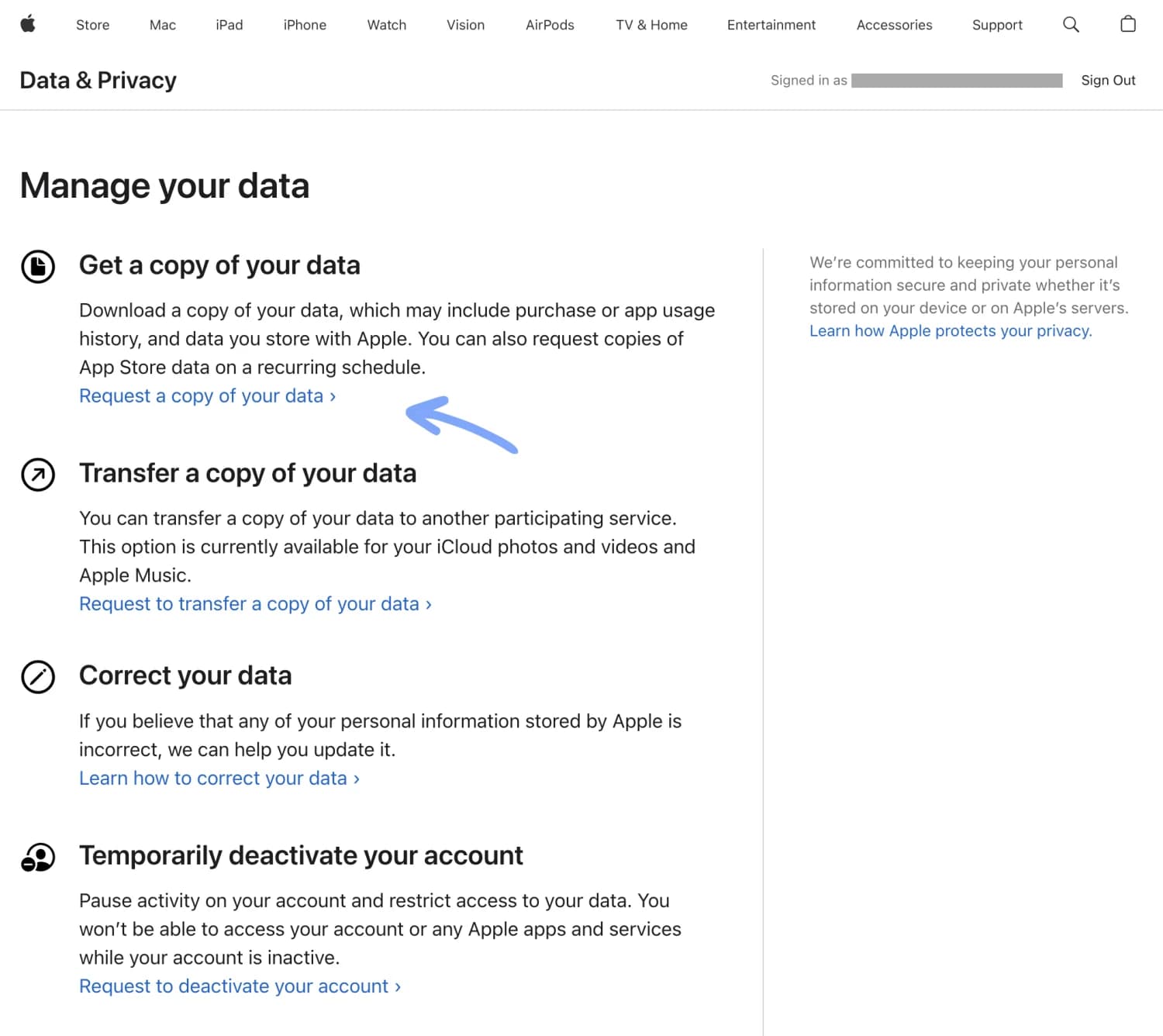
Head to your Apple Account's Data & Privacy page.
Under "Get a copy of your data", click "Request a copy of your data".
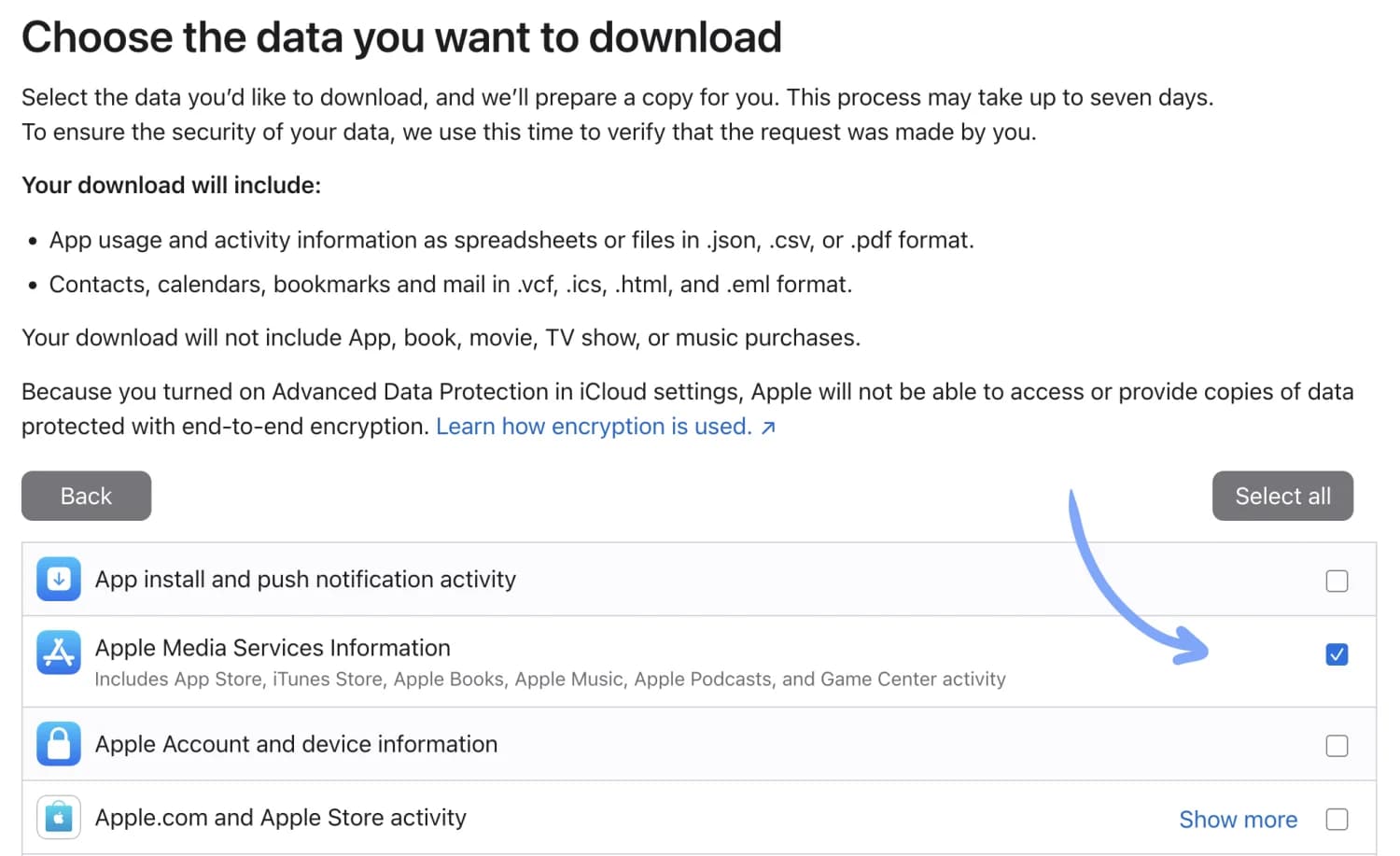
Select "Apple Media Services Information", then click Continue.
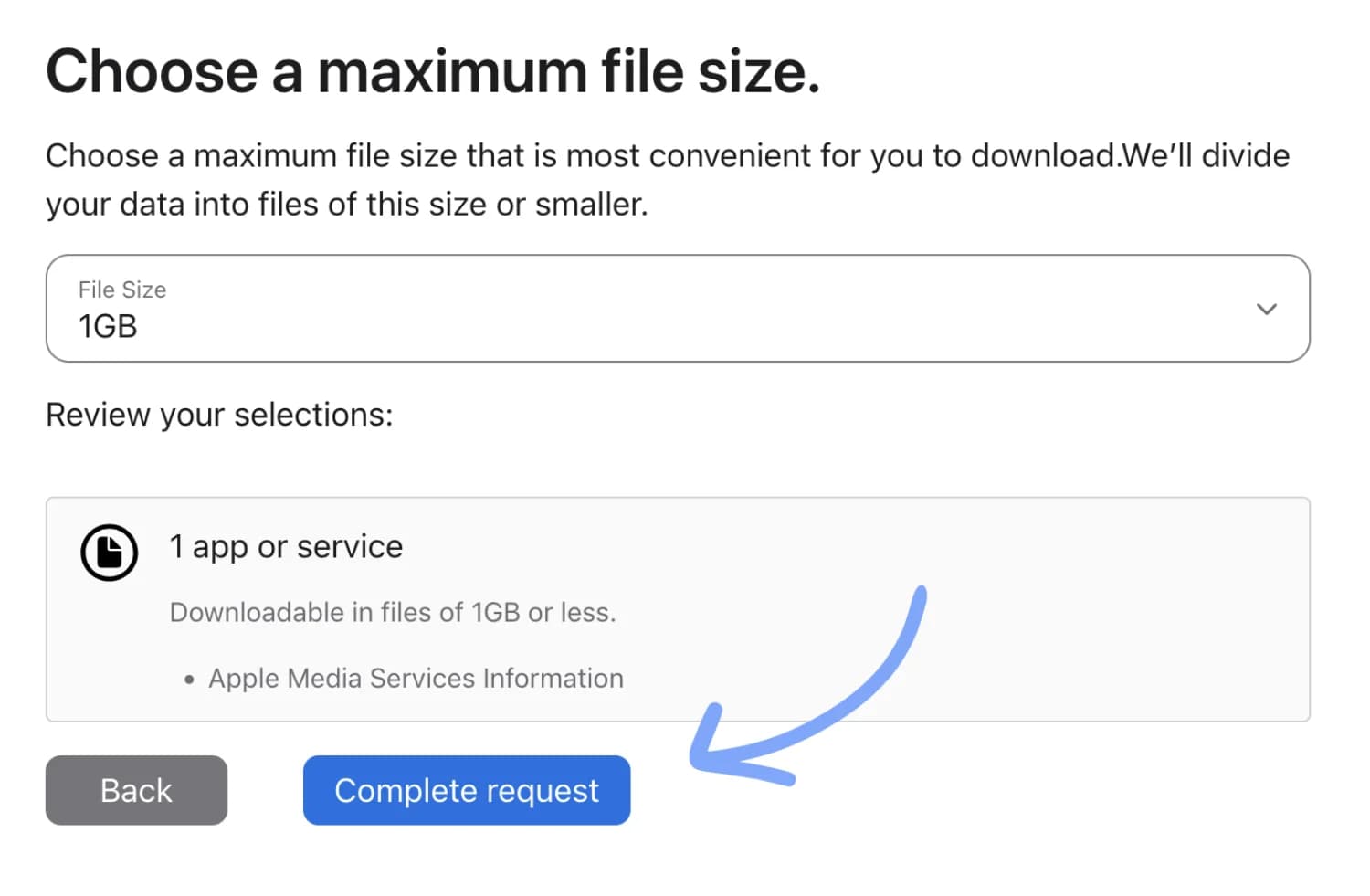
Keep the default File Size: 1GB and click Complete request.
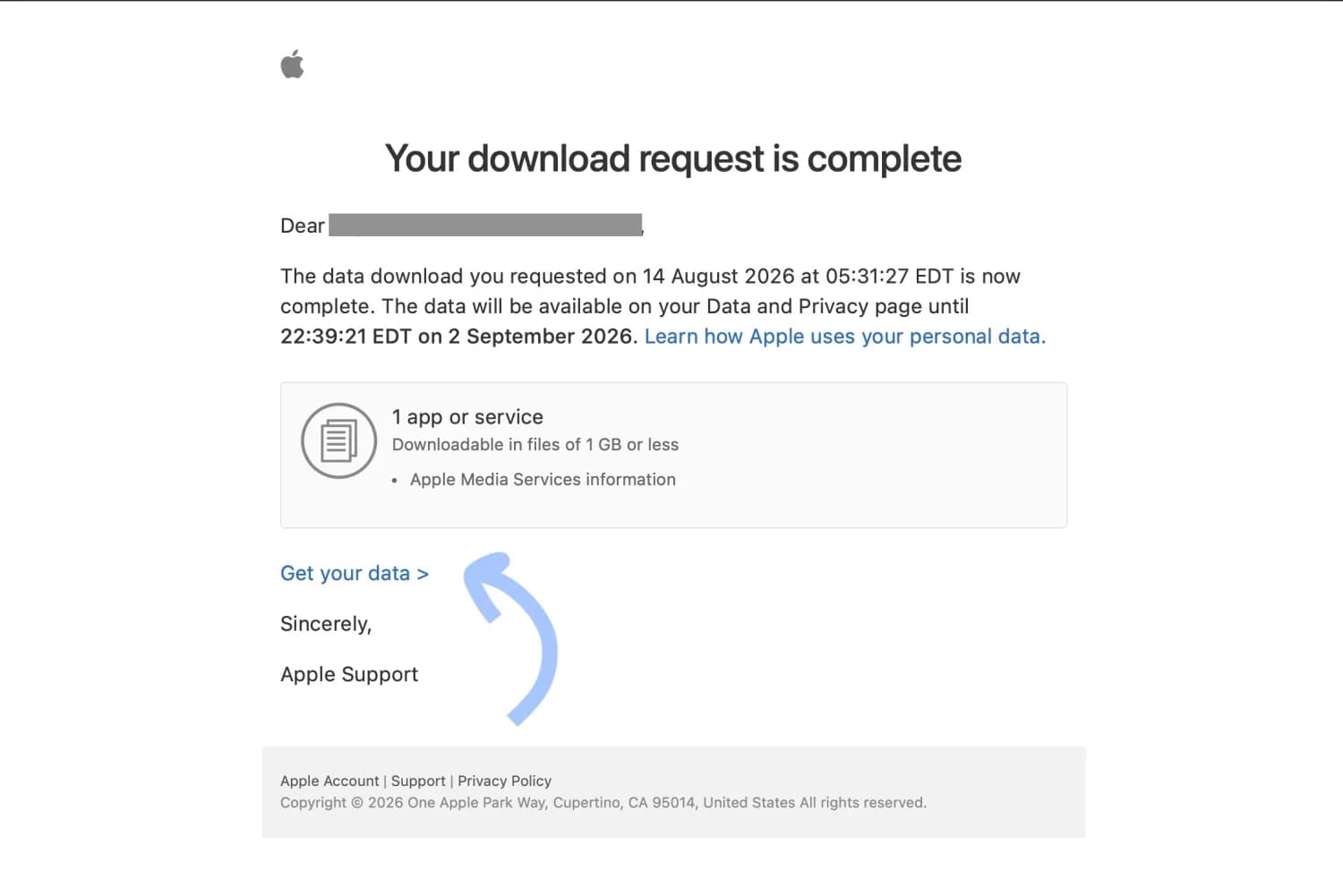
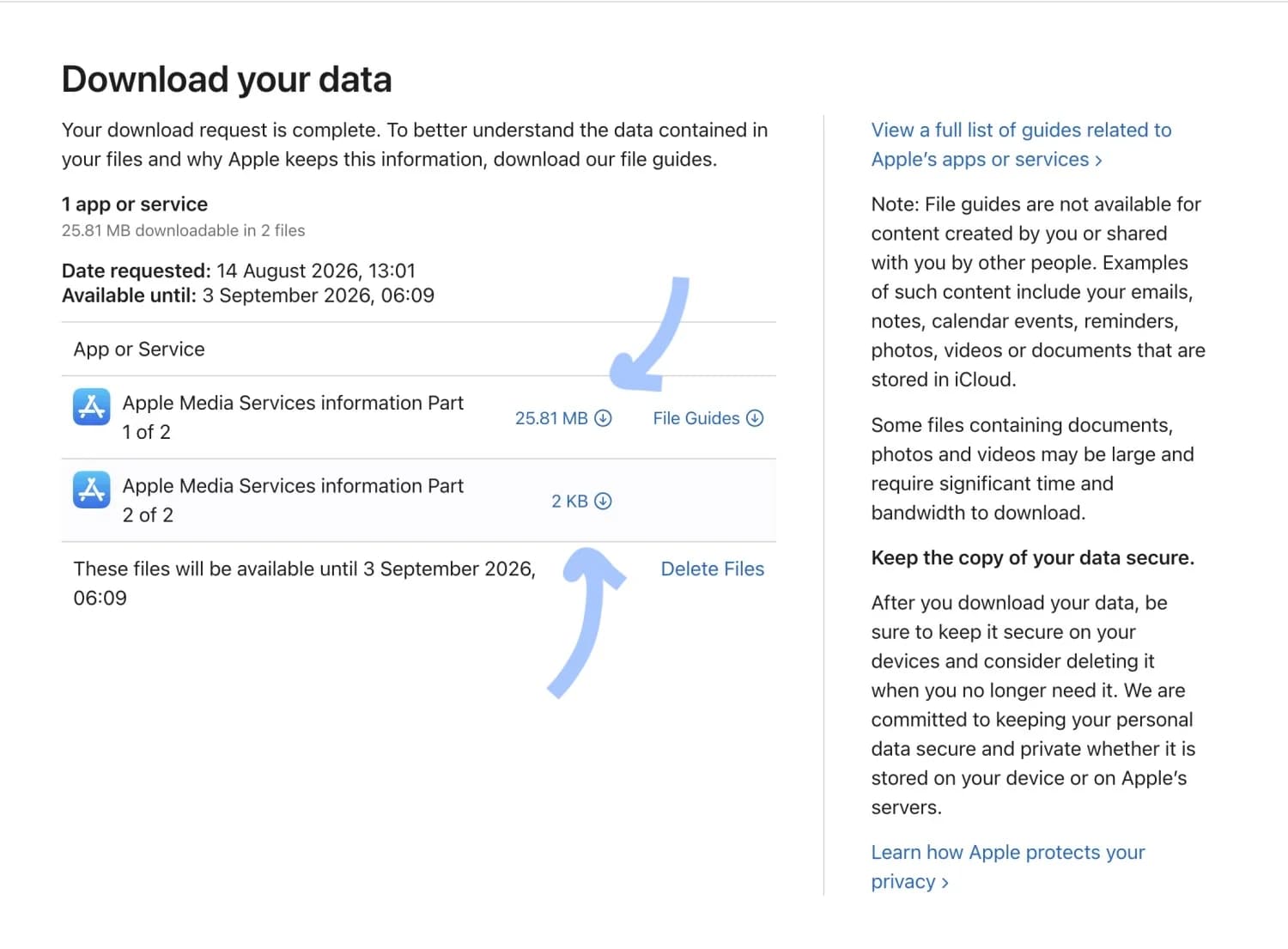
Apple will email you when your data is ready. This can take up to 7 days — they use that time to verify the request was really made by you.
When your data arrives
Open the email from Apple and click "Get your data".
Download every part of the data. Apple splits the export into numbered parts (Part 1 of 2, Part 2 of 2, and so on) — you need all of them.
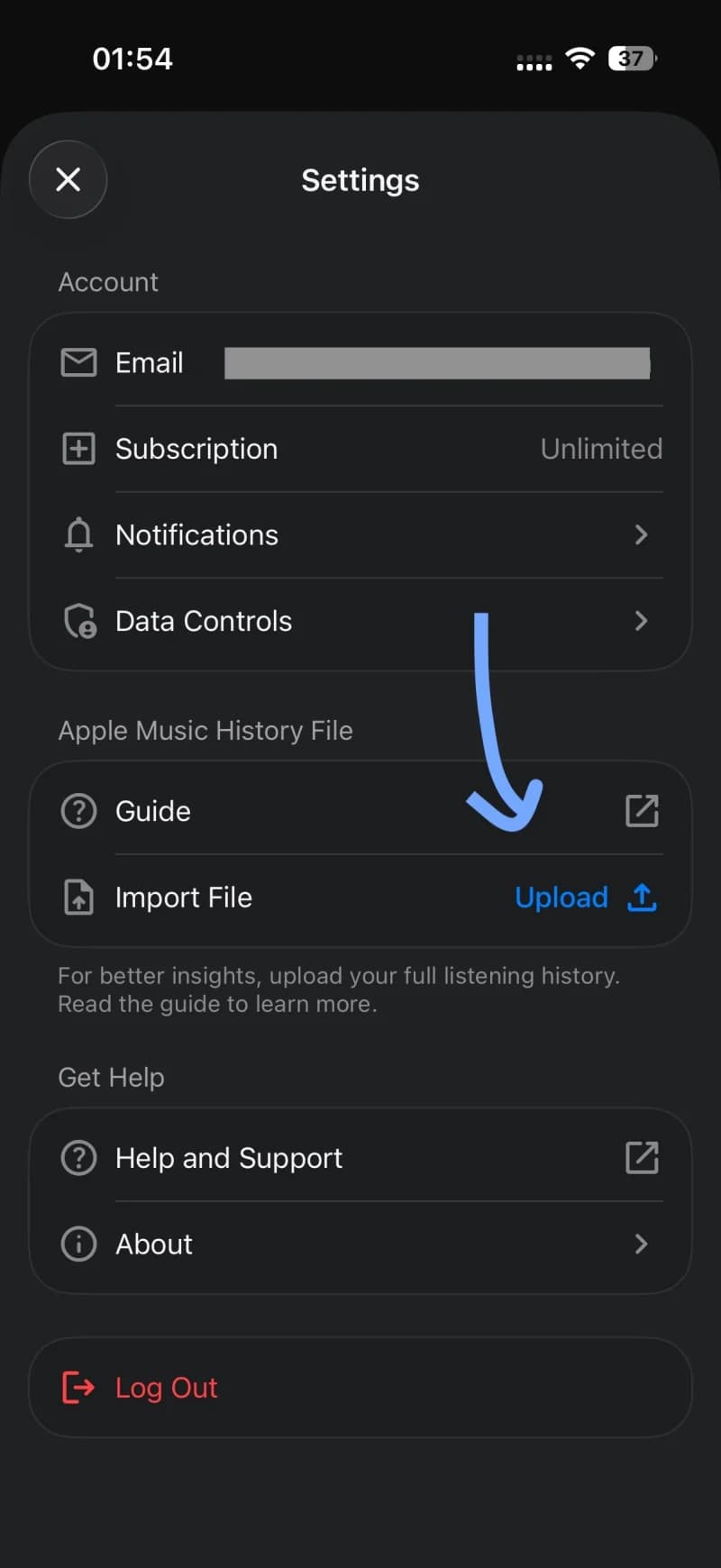
In MuseBud, open Settings and tap Upload next to Import File, then pick the files you downloaded.
Questions
Why import if MuseBud already connects to Apple Music?
The connection supplies recent and ongoing listening; the privacy export can add older history that apps can't request directly.
Will this change my Apple Music library?
No. The import reads listening-history records; it doesn't edit songs, playlists, or library content.
Should I unzip or edit the files?
No. Keep every numbered archive as Apple provides it and upload the parts one at a time, up to 1 GB each.
Does MuseBud keep the ZIP file?
No. MuseBud streams each archive, extracts only the Apple Music history files it supports, and doesn't keep the original. The listening events it imports stay in your account until you delete it.
Why might my totals differ from Apple Replay or another tracker?
Apple's export and other trackers can define, identify, or count a play differently, and some rows don't contain enough detail for MuseBud to import reliably.
Questions about how MuseBud handles imported history, what is kept, or how Bud uses it? Read the Privacy policy. MuseBud does not use your listening history to train AI models — ours or OpenAI's; during the beta our team reads conversations to improve MuseBud, and the policy explains exactly what that means.